Migrating Your Account
If you previously managed your domains through the old Netsville domain system, you will need to migrate your account to the new system. This guide walks you through the process step by step.
What changed?
The old system required a domain name, username, and password to log in. Each domain had its own set of credentials. The new system uses a single username and password, and all of your domains are linked to one account.
Step-by-Step Migration Guide
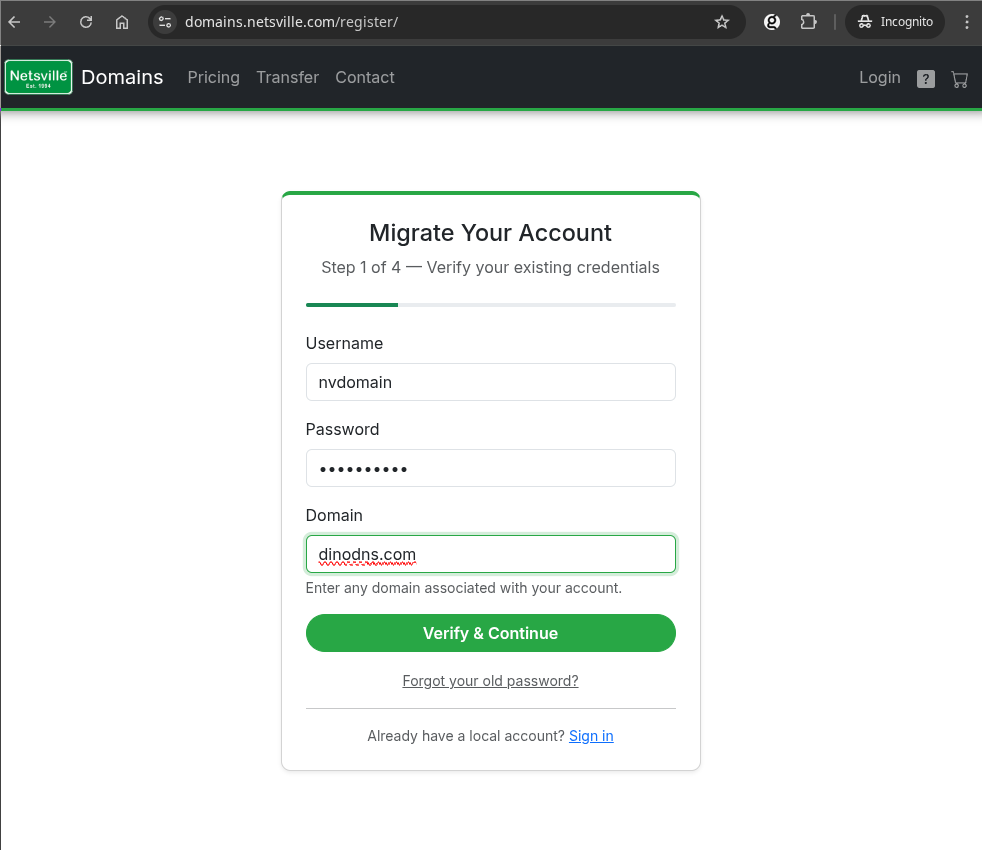
Step 1: Verify Your Existing Credentials
Go to the Login page and click "Migrate an existing account".
You will be asked to enter your old credentials:
- Username — your old domain management username
- Password — the password associated with that account
- Domain — any domain name associated with your old account
This verifies that you are the rightful owner of the account. Click "Verify & Continue" to proceed.
Forgot your old password? Click the "Forgot your old password?" link and we'll send it to the email address on file for your domain.
Step 2: Create Your New Account
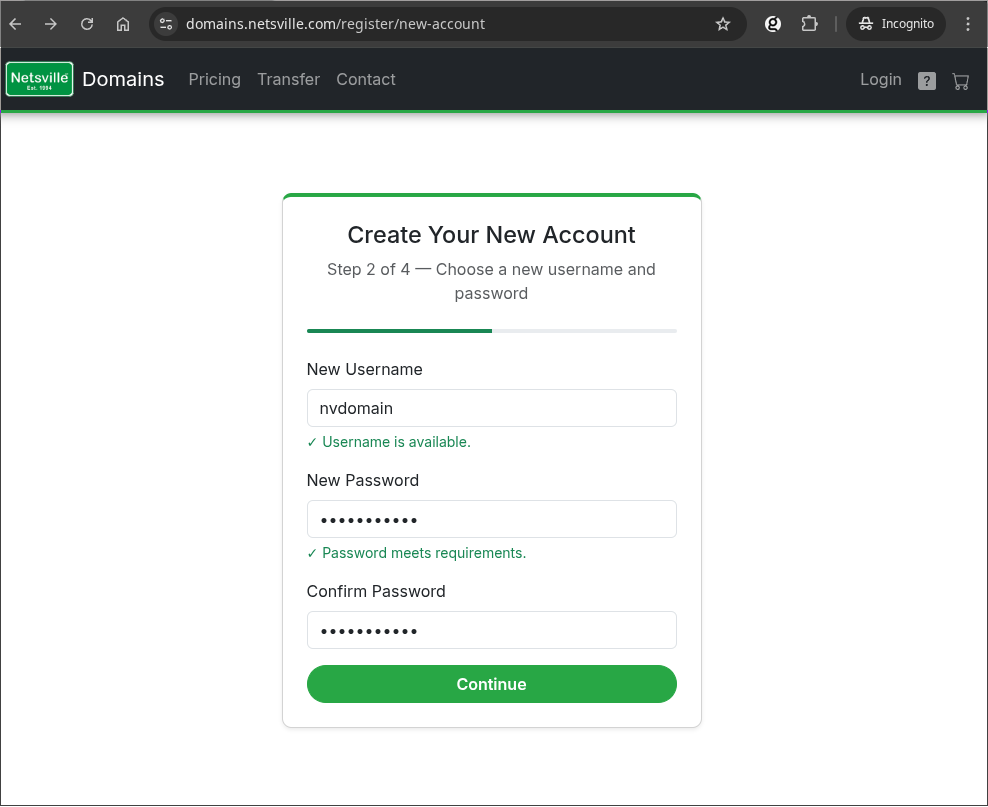
Choose a new username and password for your new Netsville Domains account.
- You can keep your old username if it's available, or choose a new one
- The system will check if your chosen username is available as you type
- Your new password must be at least 10 characters
- The password strength indicator will confirm when your password meets requirements
These will be the credentials you use to log in going forward. Click "Continue" when ready.
Step 3: Verify Your Email
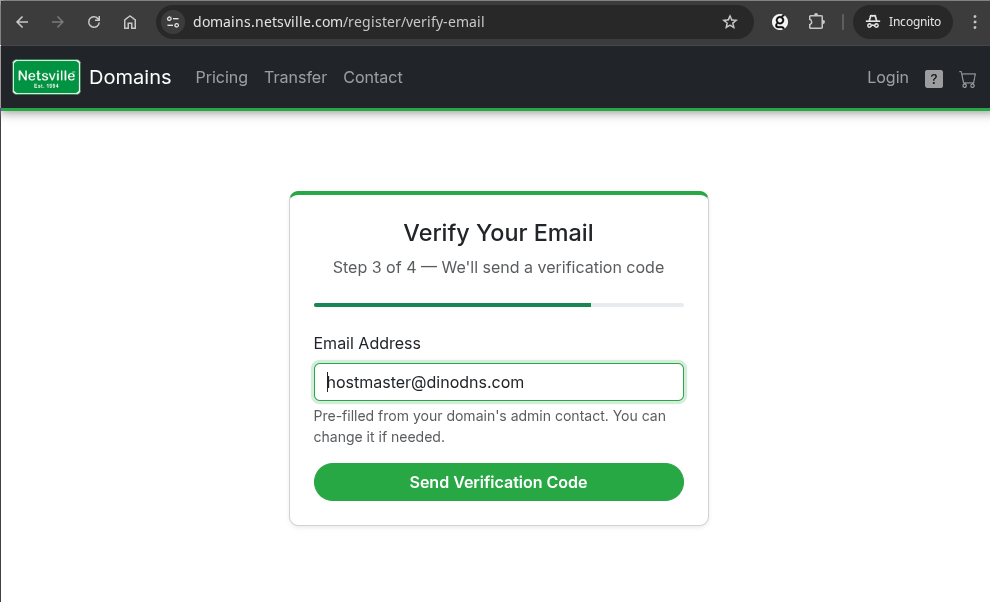
Enter your email address. This will be used for account recovery, verification codes, and important notifications about your domains.
- The email address is pre-filled from the admin contact on file for your domain
- You can change it to a different email address if you prefer
- Make sure you have access to the email address you enter — you'll need it in the next step
Click "Send Verification Code" and check your inbox.
Step 4: Enter Verification Code
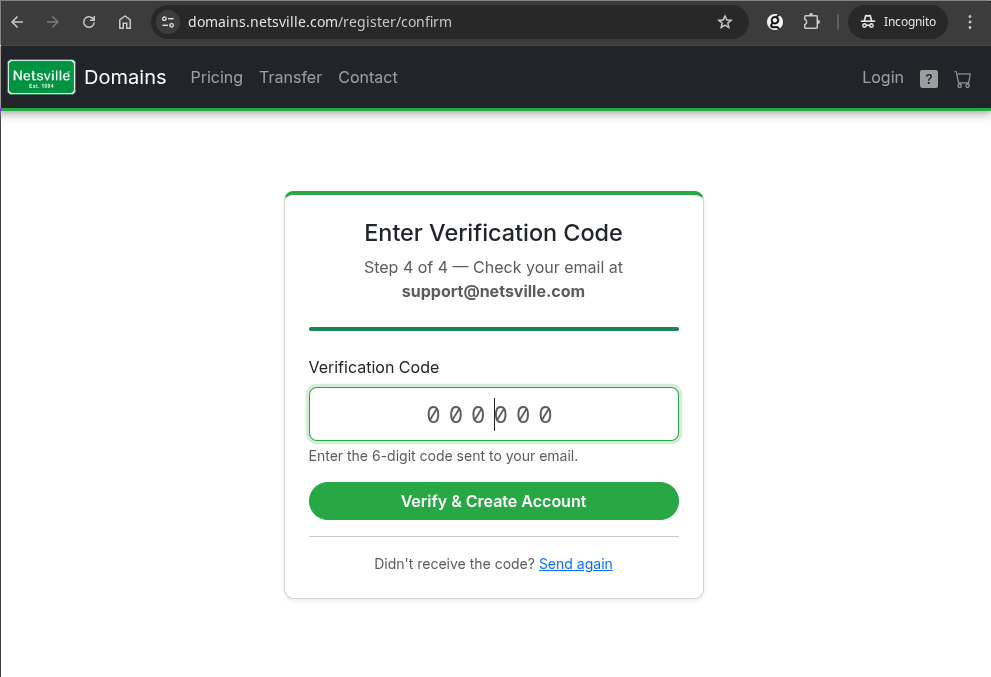
Check your email for a 6-digit verification code from Netsville Domains.
- Enter the code in the boxes shown
- The code is valid for a limited time — if it expires, click "Send again" to receive a new one
- Check your spam or junk folder if you don't see the email right away
Click "Verify & Create Account" to complete the migration.
Step 5: You're Done!
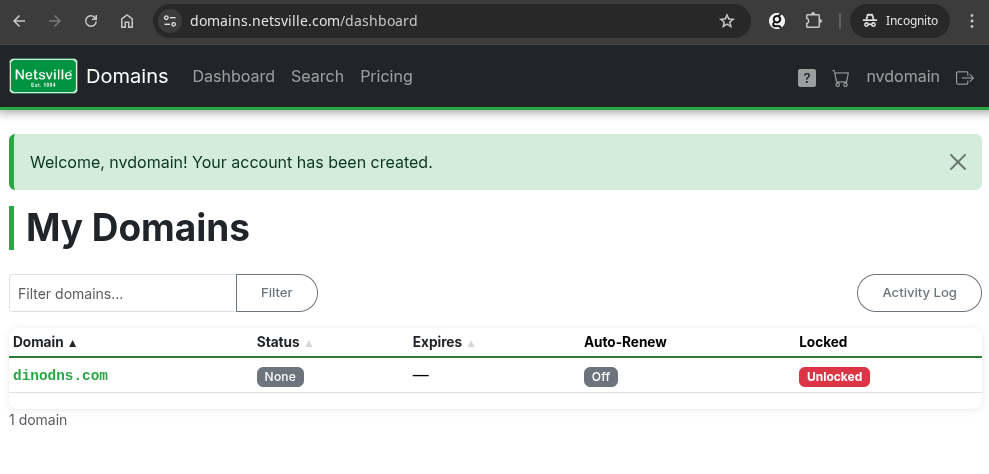
Your account has been created and you are automatically logged in. You will be taken to your Dashboard, where you can see all your domains.
- All domains associated with your old account are now linked to your new account
- Domain information may take a few moments to fully sync — status, expiry dates, and other details will update shortly
- You can manage your domains, renew them, update contacts, and edit DNS records from here
From now on, just use your new username and password to log in at domains.netsville.com.
What if I have multiple old accounts?
If you had separate logins for different domains (for example, one login for example.com and another for example.net), you will need to migrate each one separately. Each migration creates a new account. If you would like your domains consolidated under a single account, please contact us after migrating and we can move them for you.
Can I still use my old credentials?
No. Once you migrate, the old login method is no longer available. Use your new username and password going forward. Your old credentials are securely stored for reference but are no longer used for authentication.
Need help?
If you run into any issues during the migration process, please contact us and we'll be happy to assist.